Creating an AI Search Bot with Cloudflare AutoRAG
By @huyhunhngc
Creating an AI Search Bot with Cloudflare AutoRAG 🤖
Cloudflare AutoRAG is a fully managed Retrieval-Augmented Generation (RAG) service that empowers developers to build intelligent, context-aware applications grounded in their own proprietary data. This guide walks through the complete process of building an AI-powered search bot using AutoRAG and the Cloudflare developer platform.
🤔 What is AutoRAG?
AutoRAG abstracts away the complexity of building RAG pipelines by seamlessly integrating several key Cloudflare services:
- 📦 Data Storage: Natively supports storing and fetching data from R2 buckets. Future integrations with Web Crawlers and D1 Databases are planned.
- 🧠 Vector Database: Automatically converts documents into vector embeddings and stores them in Cloudflare Vectorize for fast, semantic searching.
- 🤖 AI Models: Leverages Workers AI for essential tasks like embedding generation, query analysis, and generating final, context-aware responses.
- 🌐 API Management: Uses Cloudflare AI Gateway to provide a secure endpoint, monitor usage, and reduce costs through intelligent caching.
By automating the entire data ingestion, indexing, and querying workflow, AutoRAG allows developers to focus on building smarter applications without the burden of managing complex backend infrastructure.
🚀 Setting Up an AutoRAG Pipeline
1️⃣ Prepare Your Data in R2
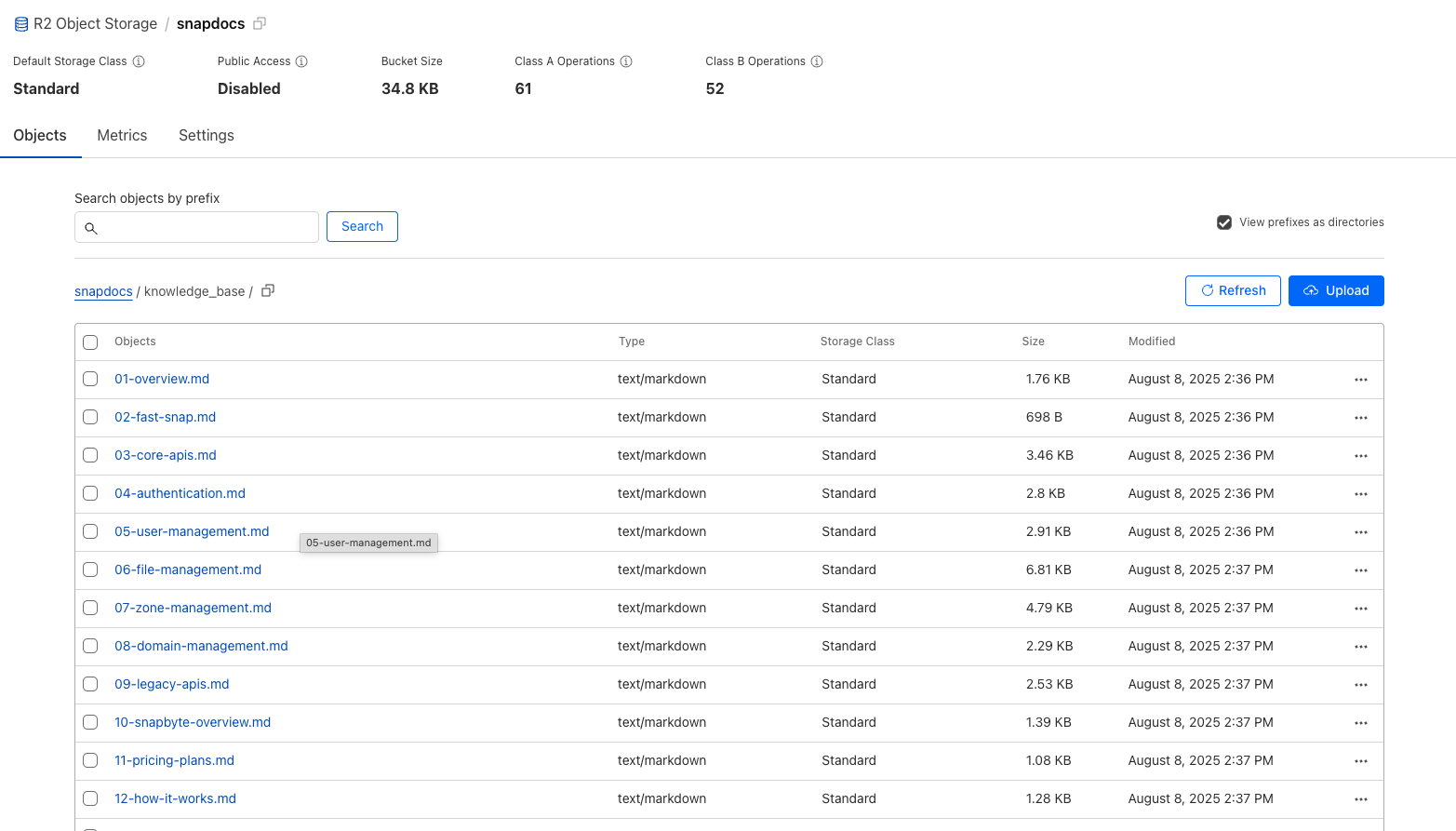 Your knowledge base is the foundation of your search bot. For this guide, let's assume you have a collection of
 .mdx files containing onboarding guides, company standards, and policies.
First, create an R2 bucket in your Cloudflare dashboard and upload all your source files into it.
2️⃣ Create an AutoRAG Instance
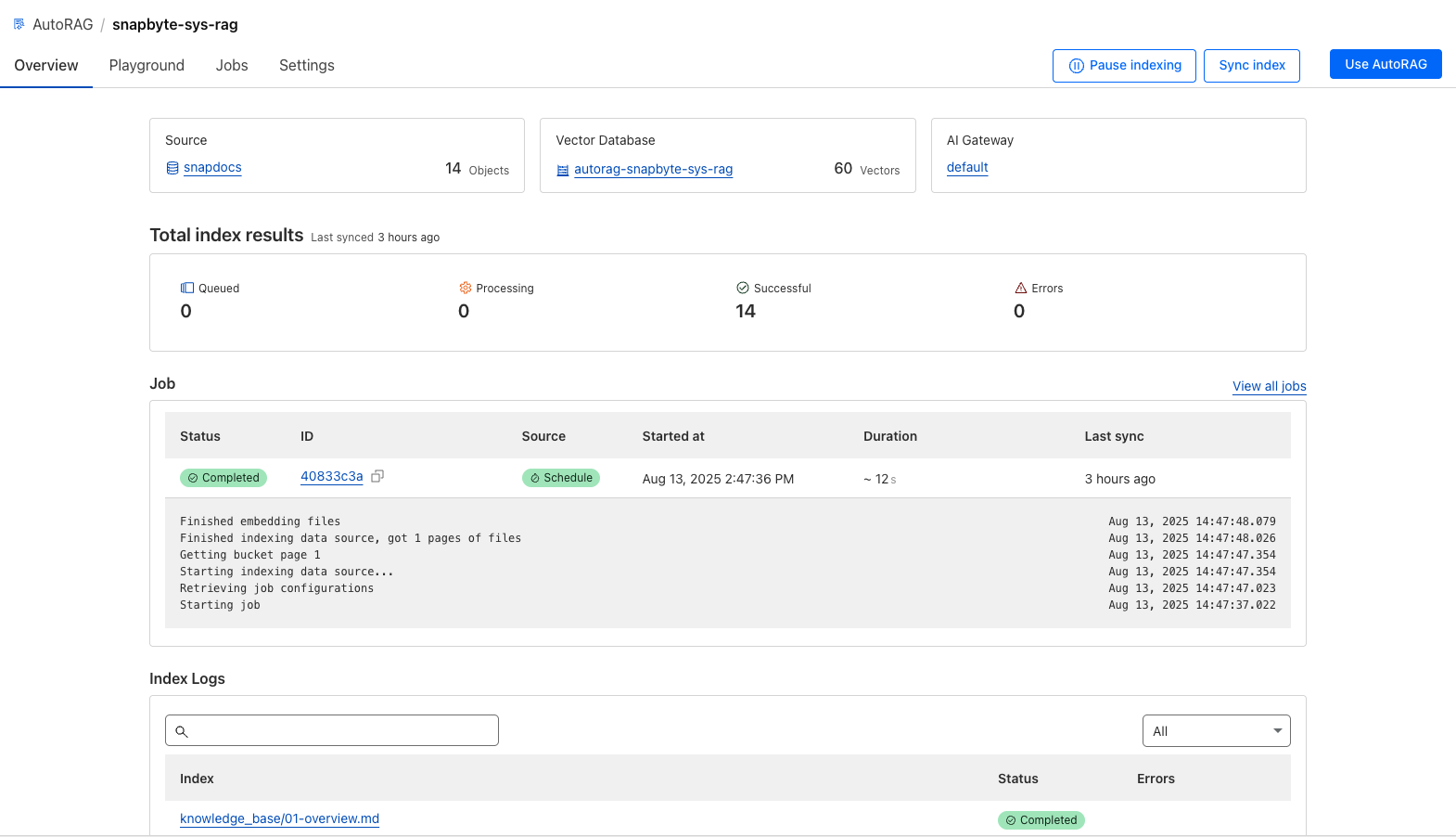 With your data in place, you can now create the AutoRAG instance.
- In the Cloudflare Dashboard, navigate to AI > AutoRAG.
- Click Create AutoRAG.
- Fill in the configuration details:
- Data Source: Select the R2 bucket you created.
- Embedding Model: Choose a default model or specify one that suits your data.
- LLM: Pick the Large Language Model for generating responses.
- AI Gateway: Assign an existing AI Gateway or create a new one to monitor your instance.
AutoRAG will now begin automatically indexing your data into vector embeddings and storing them in Vectorize. The time required for this process depends on the size of your dataset but typically completes within 20 minutes.
3️⃣ Test Your Search Bot in the Playground
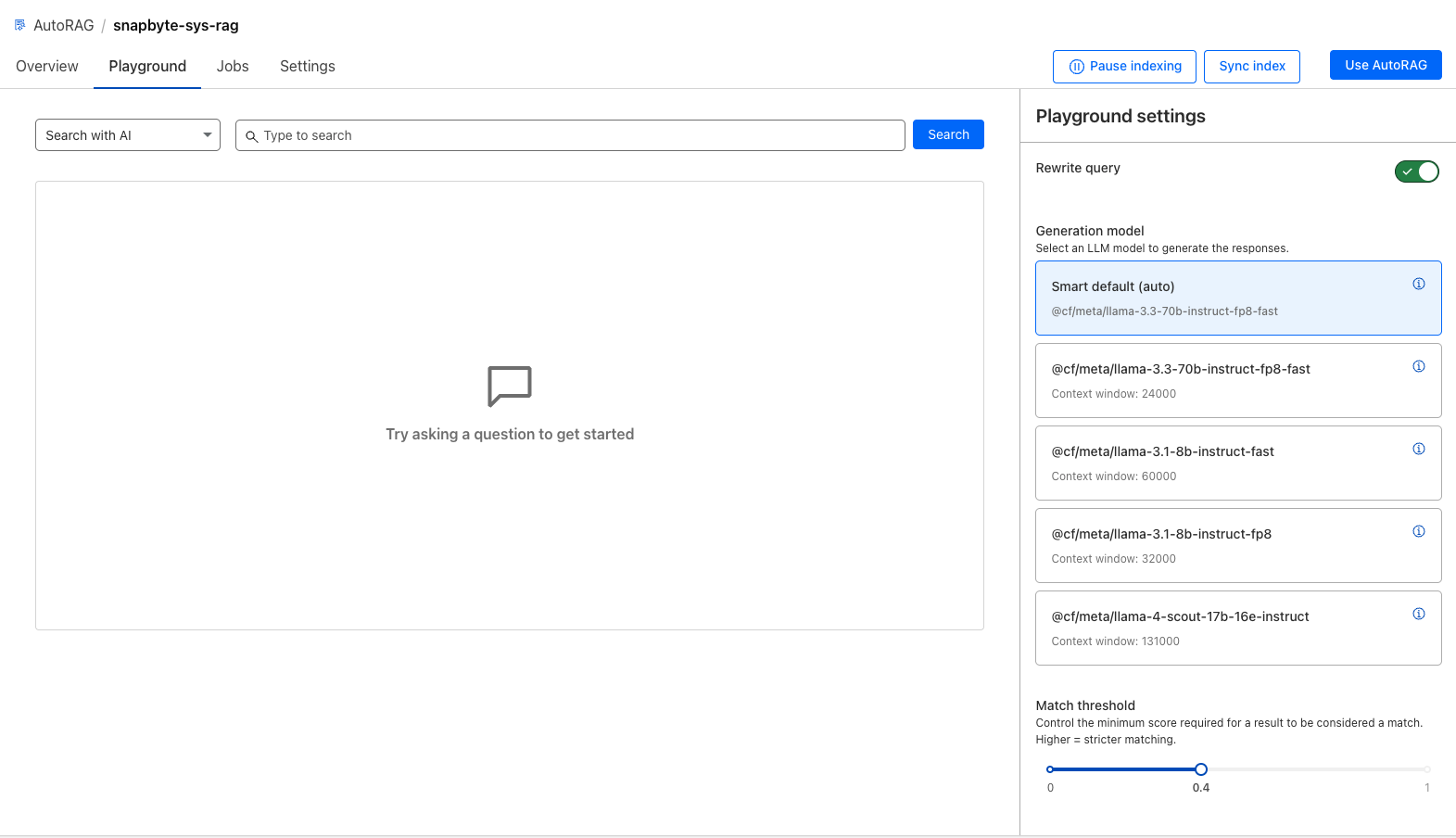 Once indexing is complete, you can interact with your bot directly in the dashboard's Playground. The Playground offers two modes:
- Search: Executes a simple keyword search, which returns the file paths of relevant documents.
- Search with AI: Uses the selected LLM to provide a summarized, natural-language answer based on the content of the most relevant files.
4️⃣ Integrate with Your Application
Click the Use AutoRAG button to find your integration options.
1. REST API AutoRAG provides a REST API endpoint for integration into any application. You can create an API key for authentication. Important: To mitigate security risks, never expose this API key in client-side code.
2. Workers Integration (Node.js Example)
For applications built on Cloudflare Workers, you can bind AutoRAG directly to your Worker. First, update your wrangler.toml configuration:
{
  "$schema": "node_modules/wrangler/config-schema.json",
  "name": "handbook-search-worker",
  "main": "src/index.ts",
  "compatibility_date": "2025-04-24",
  "ai": {
    "binding": "AI"
  }
}
Then, use the binding to call AutoRAG from within your Worker's code:
// Get a standard response
const answer = await env.AI.autorag('my-rag').aiSearch({
  query: 'What is AutoRAG?'
});

// Or, enable streaming for faster time-to-first-token
const stream = await env.AI.autorag('my-rag').aiSearch({
  query: 'What is AutoRAG?',
  stream: true
});
5️⃣ Keep Your Index Synced 🔄
AutoRAG can automatically monitor your R2 bucket for changes. It will re-index new or modified content at regular intervals to keep your bot's knowledge base up-to-date. You can adjust the sync frequency, disable auto-syncing, or trigger a manual sync at any time from the dashboard.
💰 Pricing and Limits
AutoRAG is currently in open beta and is free to enable. However, it uses several underlying Cloudflare services that may incur charges based on your usage:
- R2 (Storage): Includes a 10 GB free tier, then $0.015/GB per month.
- Vectorize (Vector DB): Free tier for stored and queried dimensions. Beyond that, charges are based on millions of queried/stored vector dimensions.
- Workers AI: Includes a free daily allowance of neurons. Model-specific rates apply afterward.
- AI Gateway: Free at present.
Each account can create up to 10 AutoRAG instances. Each instance supports up to 100,000 files, with a maximum single file size of 4 MB for plain text or 1 MB for rich formats.